iPhone & Apple Watch app — Health & Fitness
Ironcraft: Bodybuilding Workouts, macros and show day.
Log every set on iPhone and Apple Watch, track protein, calories and macros meal by meal, and count down to your next show, meet or race. No account, no ads, no tracking.
- Price
- Free · Ironcraft Pro optional
- Works on
- iPhone · iOS 18+ · Apple Watch app optional, watchOS 11+
- Privacy
- No account, no ads, no tracking
- Age
- For adults 18 and older
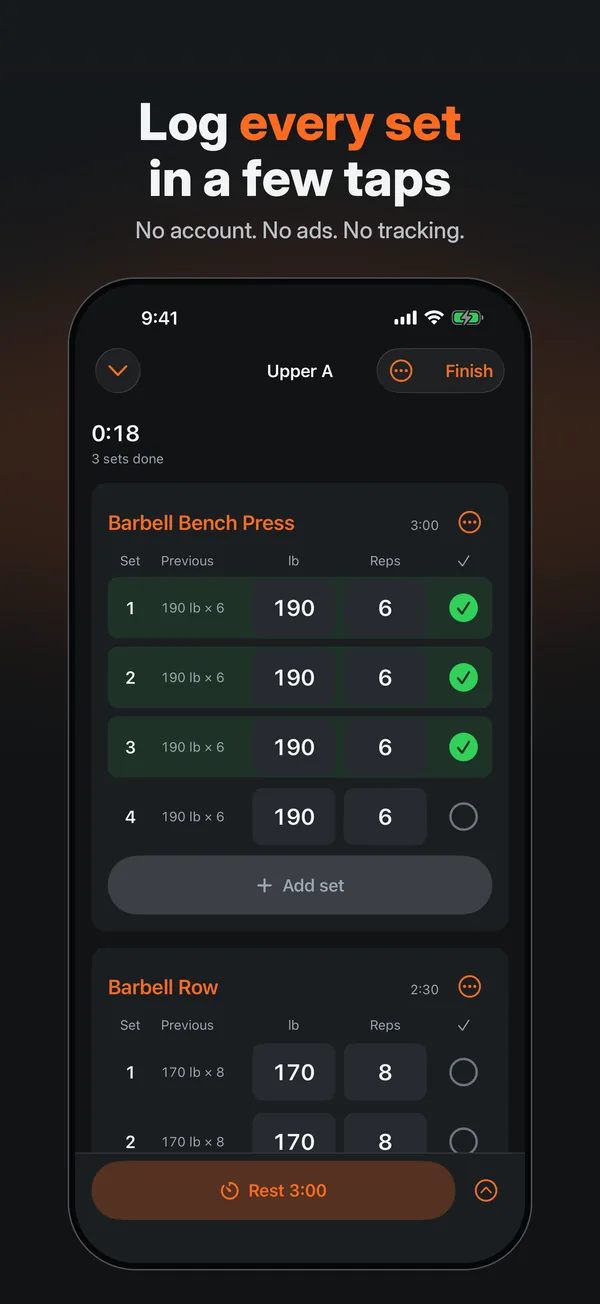
Log every set, with last time beside it. 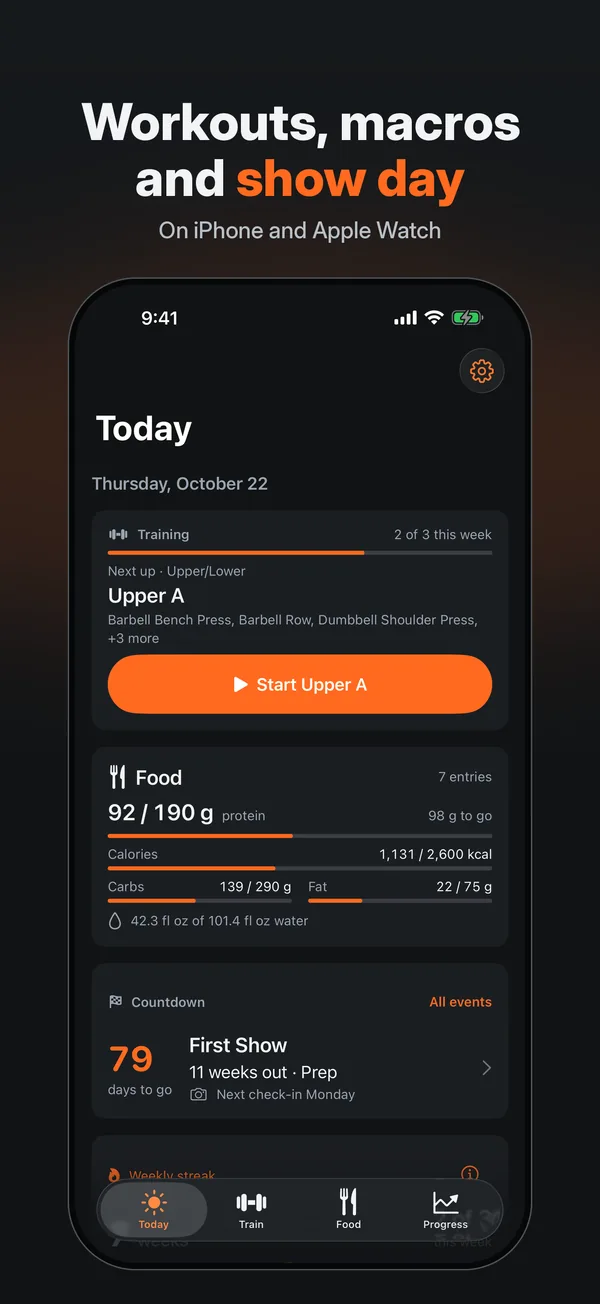
Today: next workout, food and countdown. 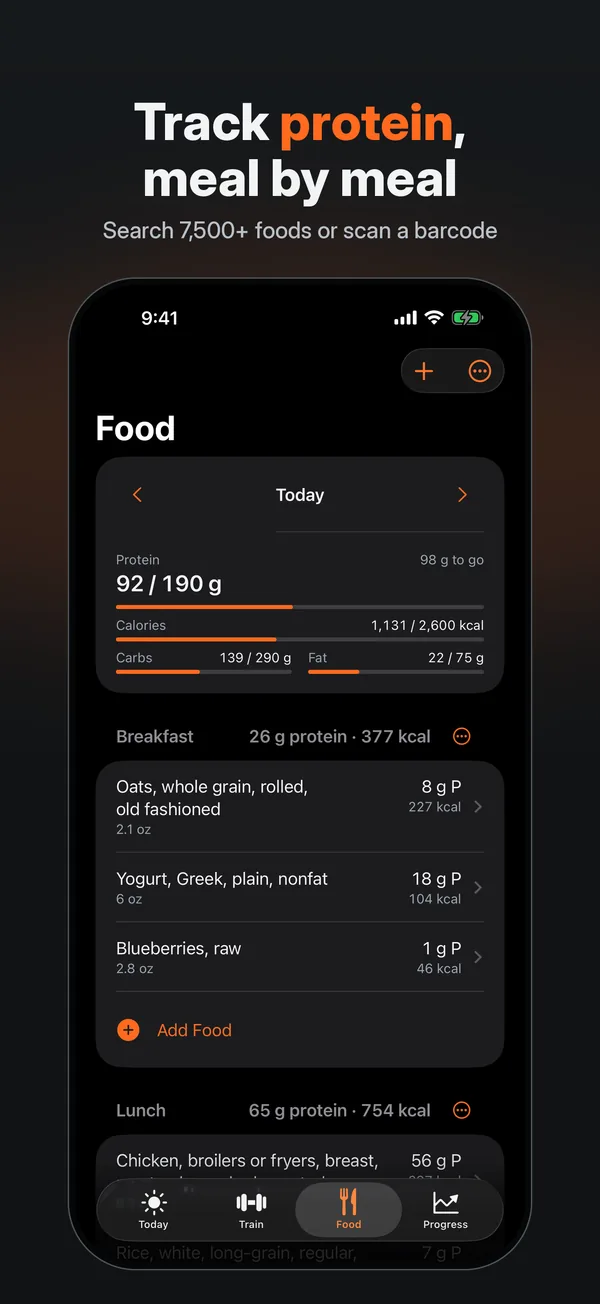
Protein, calories and macros, meal by meal.
How it works
Training, food and show day, logged in one app.
Ironcraft is a training log, food tracker and event countdown for people who lift. New records are found for you, and everything you log stays on your iPhone and Apple Watch.
Train
Log every set
Start from a routine or an empty workout. Each set shows what you lifted last time, and the rest timer runs on your Lock Screen and in the Dynamic Island.
On your wrist
Lift with Apple Watch
Start a workout on your wrist and enter weight and reps with the Digital Crown. Each set is saved on the watch first, so a dropped connection never costs you a set.
Eat
Log food by meal
Search 7,500+ common foods, scan a barcode, quick-add macros or relog a saved meal, against calorie and macro targets you set.
Count down
Count down to show day
Count down to a show, meet, race or photo shoot in days and weeks out, with milestone reminders, widgets and a Live Activity on event day.
Features
Everything you need to log workouts, hit your macros and count down to show day.
330+ exercises and your own routines
Filter 330+ exercises by muscle or equipment, start from a starter routine or build unlimited custom exercises and routines, and import CSV exports from other workout apps.
Every kind of set
Warm-up, working, drop and failure sets, RPE, supersets and notes, in kg or lb, with plate and warm-up calculators.
Records found for you
Heaviest weight, most reps at a weight, estimated 1RM and session volume, plus weekly sets per muscle and a training calendar.
Meal planner (Pro)
A weekly plan from 100+ recipes to your targets and diet filters, with swaps, locked meals, batch prep and a grocery list by aisle.
Progress and achievements
Body-weight trend, measurements and progress photos, badges for records, total weight lifted and weeks trained, and a weekly streak against your own target.
Widgets and Apple Health
Home Screen and Lock Screen widgets and a watch complication. With your permission, Ironcraft saves workouts, body weight, food energy, protein, carbs, fat and water to Apple Health.
Pricing
Free to use. Ironcraft Pro if you want more.
Free
Free to download and use
Log workouts on iPhone and Apple Watch, log food, see your records and 90 days of charts, and count down to one active event. Free features stay free.
Ironcraft Pro
$23.99 a year or $3.99 a month in the US
Adds the meal planner, recipes and grocery list; all-time charts, photo compare and the timeline; unlimited events, the phase planner and more widgets. The yearly plan has a 1-week free trial for eligible new subscribers.
Ironcraft Pro Lifetime
$79.99 once in the US
A one-time purchase for Pro access for as long as Ironcraft remains available. It is not a subscription.
US prices. The app shows the price from the App Store before you buy, and prices can change. Taxes may apply. Subscriptions renew automatically unless cancelled at least 24 hours before the end of the current period; manage or cancel them in your Apple Account settings. Ironcraft Pro works with Family Sharing.
Privacy
Your logs stay on your iPhone and Apple Watch.
- Your logs stay on your iPhone and Apple Watch, and the iPhone keeps them encrypted. We run no server and cannot see them.
- No account, no analytics SDK, no app usage events, no ads and no tracking.
- Optional online food lookups send the barcode or search words and request IP address to Open Food Facts. Its visitor logs support security, technical analysis and popularity measurement; see the privacy policy.
- Optional Face ID lock, and an encrypted backup file with a passphrase you choose.
- Apple Health is used only with your permission.
Read the full Ironcraft privacy policy.
Questions
Ironcraft: Bodybuilding FAQ
- Is Ironcraft free?
- Yes. Ironcraft is free to use, with no account and no ads. Ironcraft Pro is optional: it adds the meal planner, recipes and grocery list; all-time charts, photo compare and the timeline; unlimited events, the phase planner and more widgets. Free features stay free.
- Do I need an account?
- No. Ironcraft has no account and we run no server, so we cannot see your data. Your logs stay on your iPhone and Apple Watch, and the iPhone keeps them encrypted.
- Does Ironcraft work on Apple Watch?
- Yes. Start a workout on your wrist, enter weight and reps with the Digital Crown, rest and see your heart rate. Each set is saved on the watch first, then sent to your iPhone, so a dropped connection never costs you a set. The Apple Watch app is optional and requires watchOS 11 or later.
- How does the food log work?
- Log by meal: search 7,500+ common foods, scan a barcode, quick-add macros or relog a saved meal. Copy yesterday, track water, and set your own calorie and macro targets or edit an estimate. Ironcraft goes online only for food lookups you ask for, which go to Open Food Facts, an independent open food database.
- Does Ironcraft work with Apple Health?
- Yes, with your permission. Ironcraft saves workouts, body weight, food energy, protein, carbs, fat and water to Apple Health, and Apple Watch workouts include heart rate and active energy.
- How do I back up my data?
- Keep iCloud Keychain on and back up your iPhone to iCloud or a computer, and export an encrypted backup file in Ironcraft Settings from time to time. We cannot see or restore your data, so your backups are what protect it.
- Can I bring my workout history from another app?
- Yes. Export a CSV from your other workout app, then import it in Ironcraft Settings: the import screen lists the formats it reads and shows a preview before anything is saved. You can also export your logged data from Ironcraft as CSV.
- Where is Ironcraft available, and in which language?
- Ironcraft is on the App Store in 143 countries and regions. It is not offered in China mainland, Russia, the EU, Iceland, Norway or the United Kingdom. Check your local App Store before downloading. The app interface is English; translated website guides do not translate the app.
- Who is Ironcraft for?
- Adults 18 and older who lift, including anyone counting down to a show, meet, race or photo shoot. Ironcraft is a logging tool, not a medical device, and it does not give medical advice.
Compare
Compare Ironcraft with JEFIT, Hevy, Strong, Fitbod and MyFitnessPal
Comparisons written by Mister Business Enterprises, which makes Ironcraft. Competitor facts come from each app's App Store listing on 1 November 2026, and every guide says what the other app does better.
- Best bodybuilding app alternatives to JEFIT, Hevy and Strong
- JEFIT alternative: Ironcraft, Hevy and Strong compared
- Hevy alternative: Ironcraft and Strong compared
- Fitbod vs Hevy vs Ironcraft
- MyFitnessPal alternative for lifters: MacroFactor or Ironcraft?
- Strong, Hevy and Ironcraft: compare the logging workflows
- Guías en español
- Guias em português do Brasil
Gym Workout Log & Meal Planner
Ironcraft is free to use on iPhone, with an optional Apple Watch app. Requires iOS 18 or later; the watch app requires watchOS 11 or later.
Ironcraft: Bodybuilding is published by Mister Business Enterprises. Apple, Apple Watch, iPhone, Digital Crown, Face ID, iCloud and App Store are trademarks of Apple Inc., registered in the U.S. and other countries and regions.